Desktop3 min
How to find the best moments for short videos
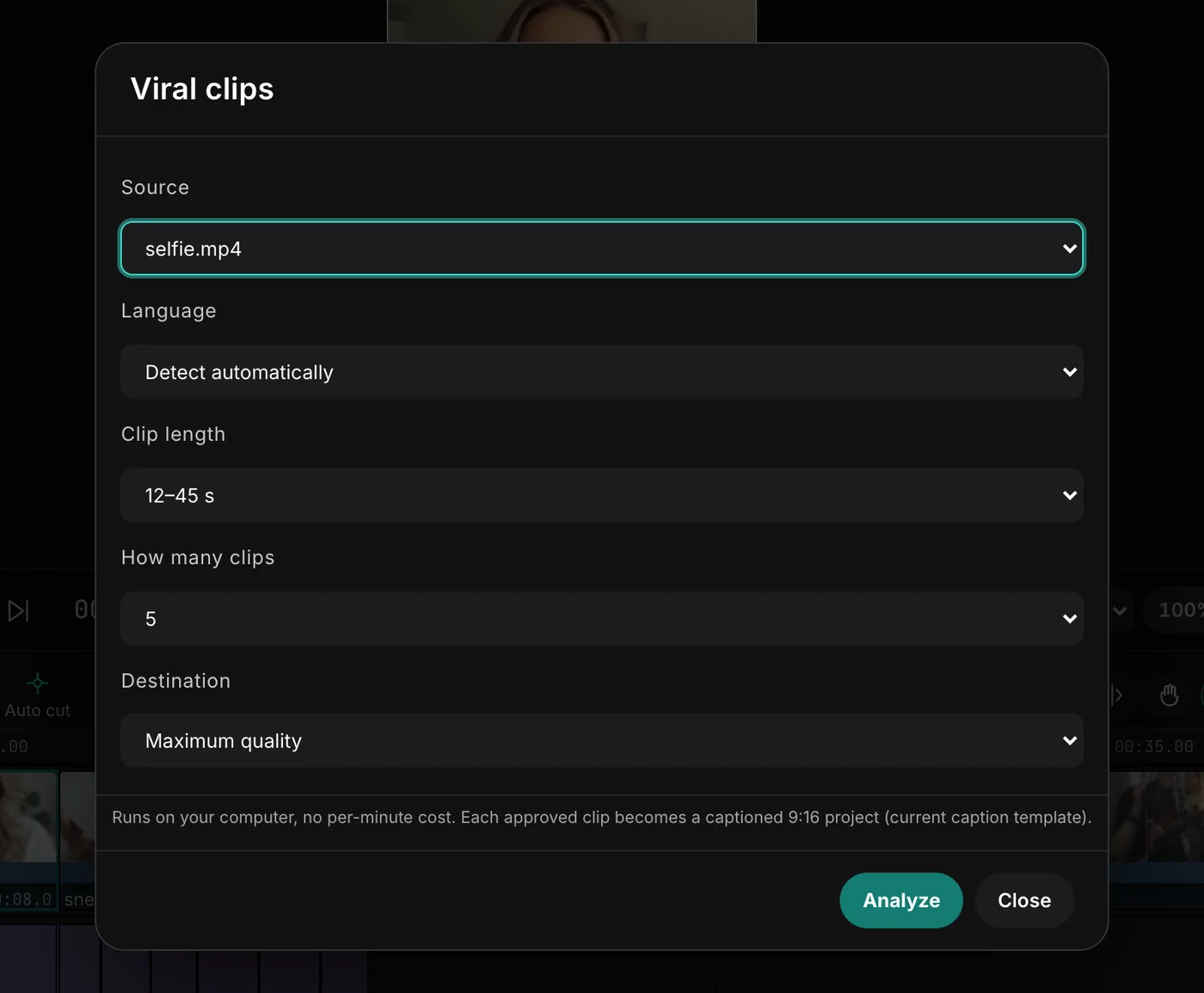
Let ZiggCut scan a long video locally and suggest the most engaging moments to turn into Reels, TikToks and Shorts.
In shortZiggCut analyzes the video on your computer and proposes clips with a strong start and a complete idea.
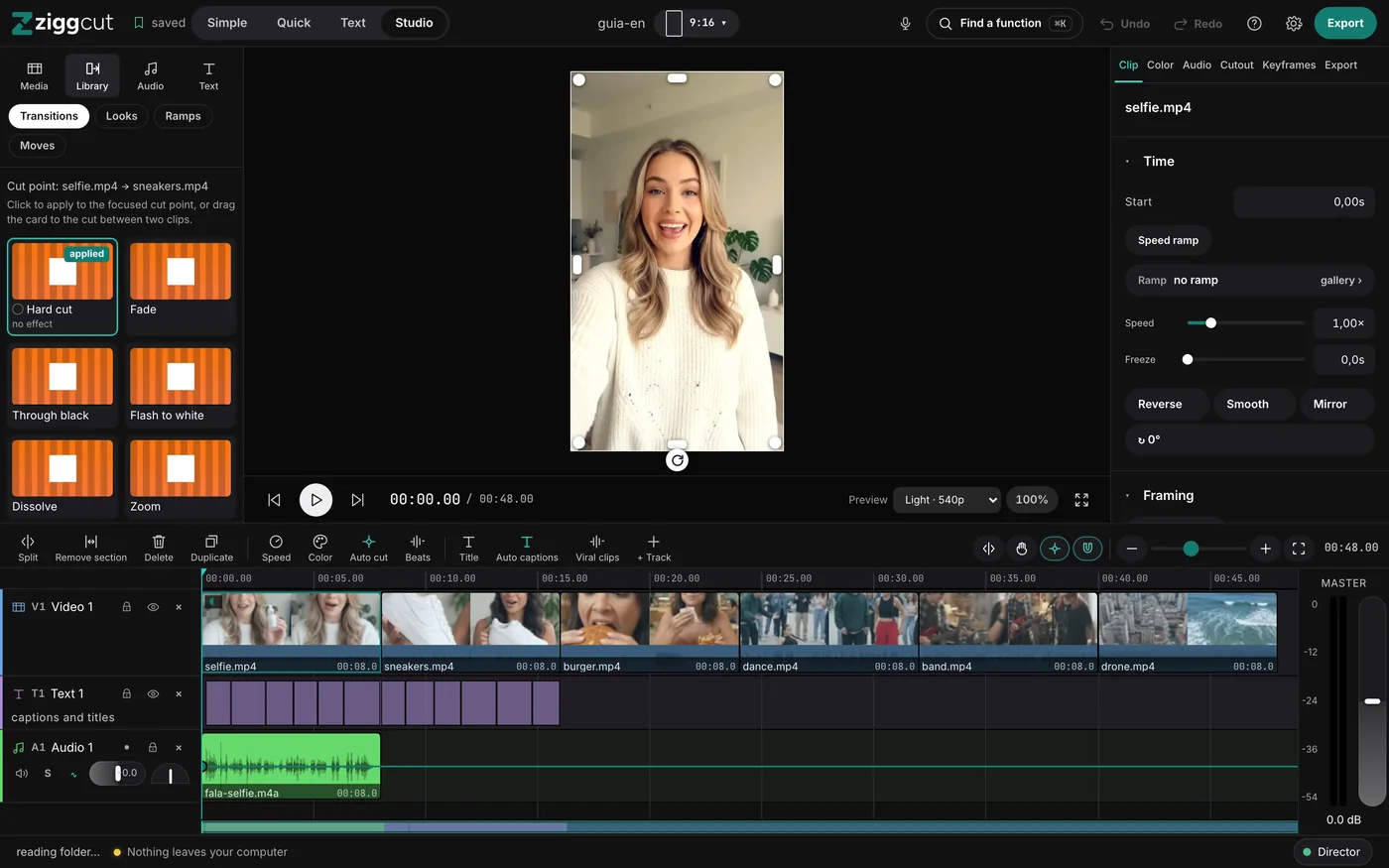
Where to find it: Toolbar → Viral cuts
Uses the AI Studio: 7 days free from your first AI use. The full AI Studio is coming soon.
- Step 1
Add your long video
Import it and place it on the timeline.
- Step 2
Open Viral cuts
Press Viral cuts in the toolbar.
- Step 3
Choose and create
Review the suggestions, pick the ones you like and create the clips.