Silence disappears. Your message stays.
ZiggCut listens to your recording, finds every pause and closes the gaps. Move one slider and see how many seconds you save.
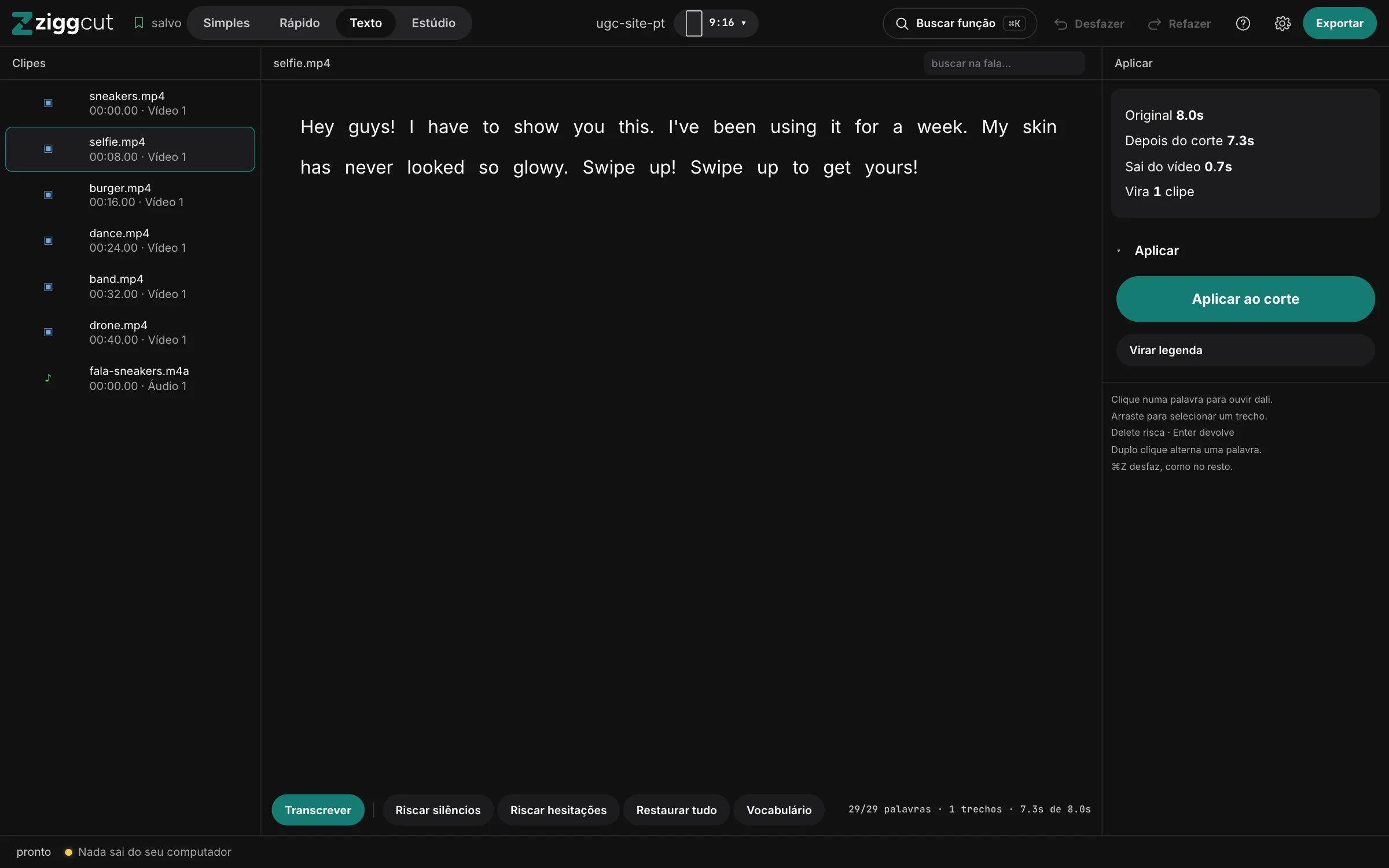
ZiggCut finds the pauses, writes every word on screen and exports for every network. Everything on your computer. Nothing uploads.
Free to edit · no watermark · macOS with Apple Silicon
ZiggCut is a video editor that runs on your own computer. It finds and cuts silences, writes captions word by word, adds cinema color and exports for every social network. The editor is free forever, uploads nothing and needs no account.
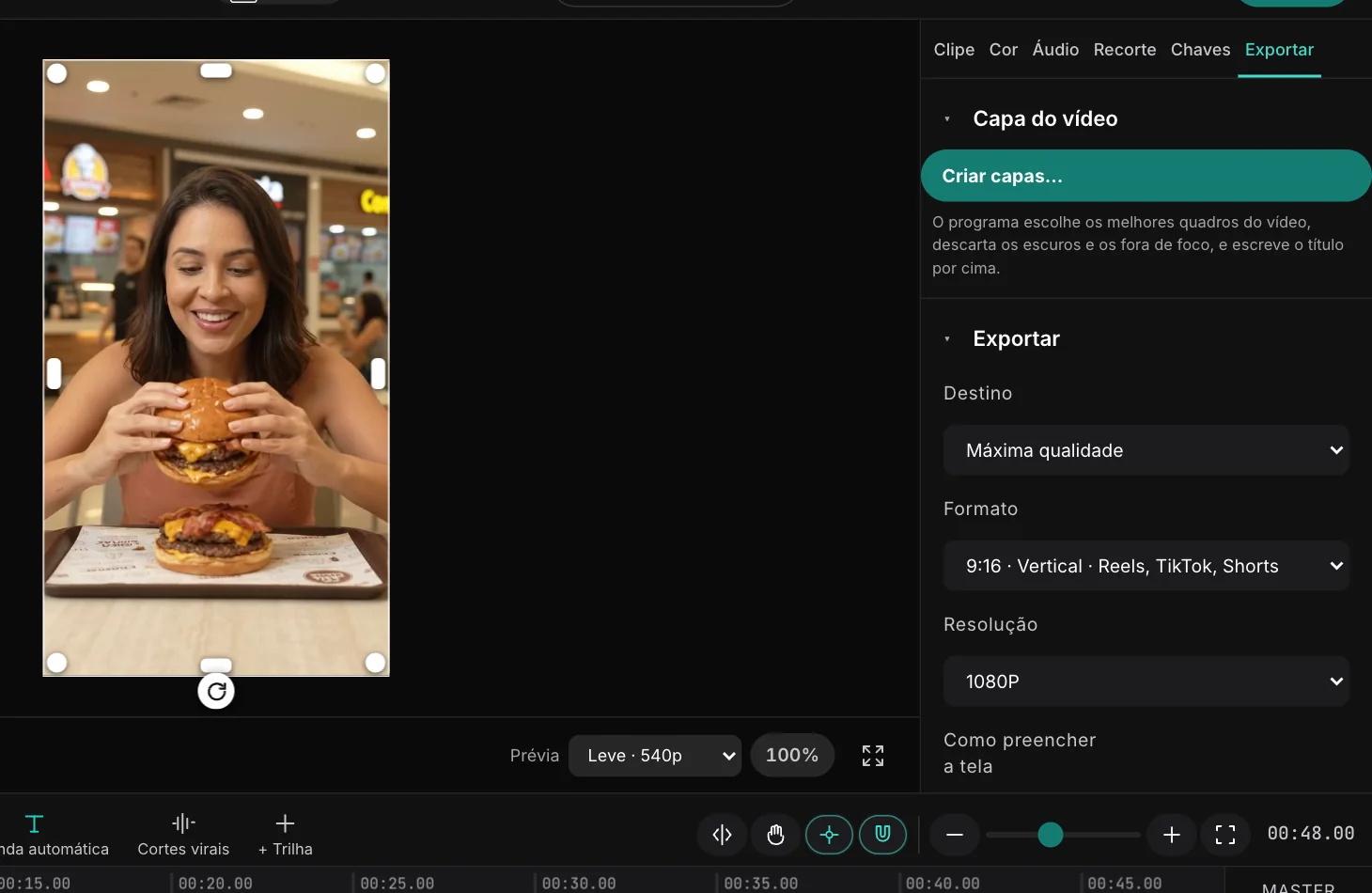
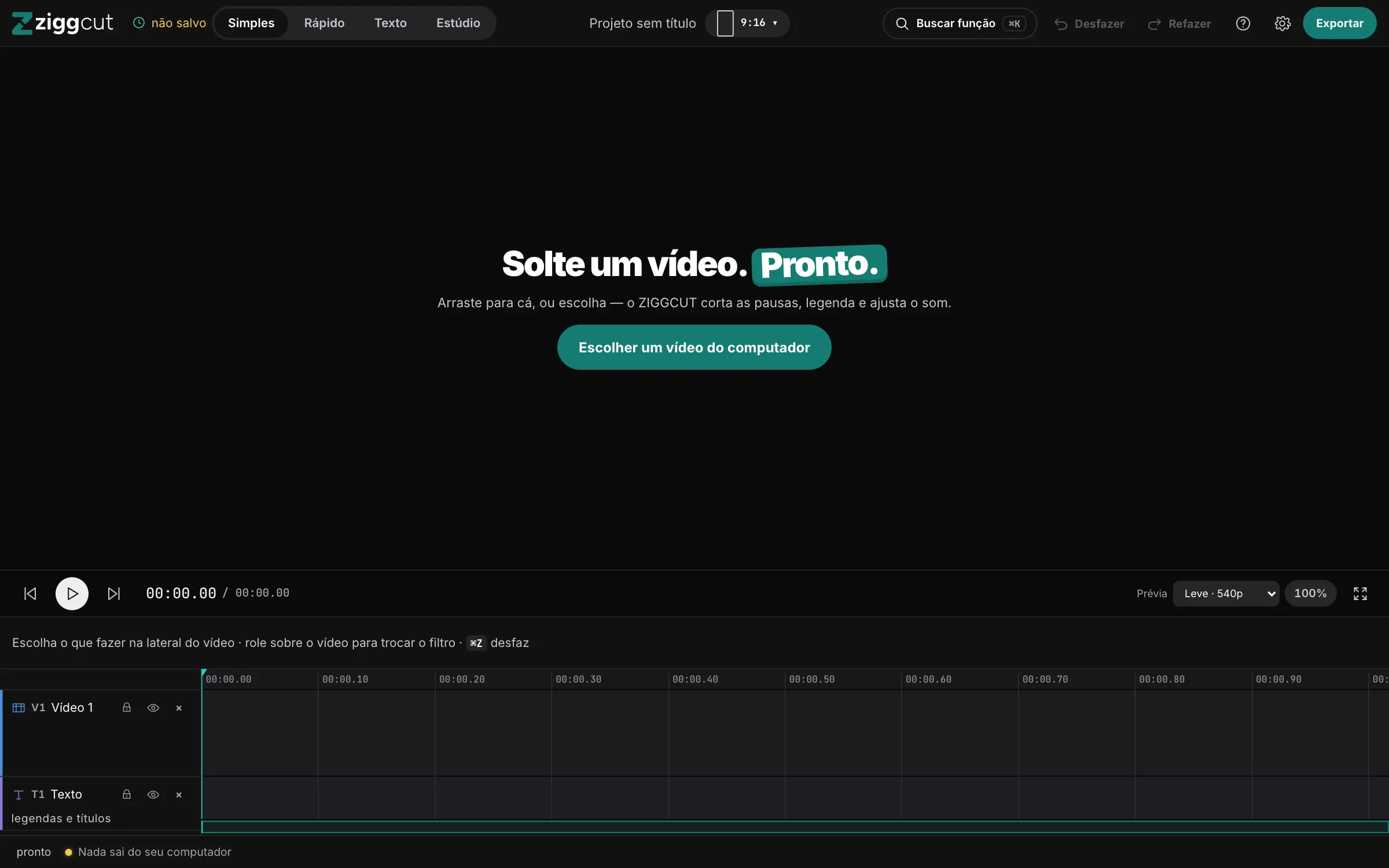
Real screenshots from a real project: timeline, captions, color and export.
ZiggCut listens to your recording, finds every pause and closes the gaps. Move one slider and see how many seconds you save.
Speech becomes text right on your computer, and each word lights up as it's spoken. Choose from 34 styles in 10 languages.

Pick a look, set how strong it is and see the result before you apply it. Want more control? Fine-tune like a pro colorist.
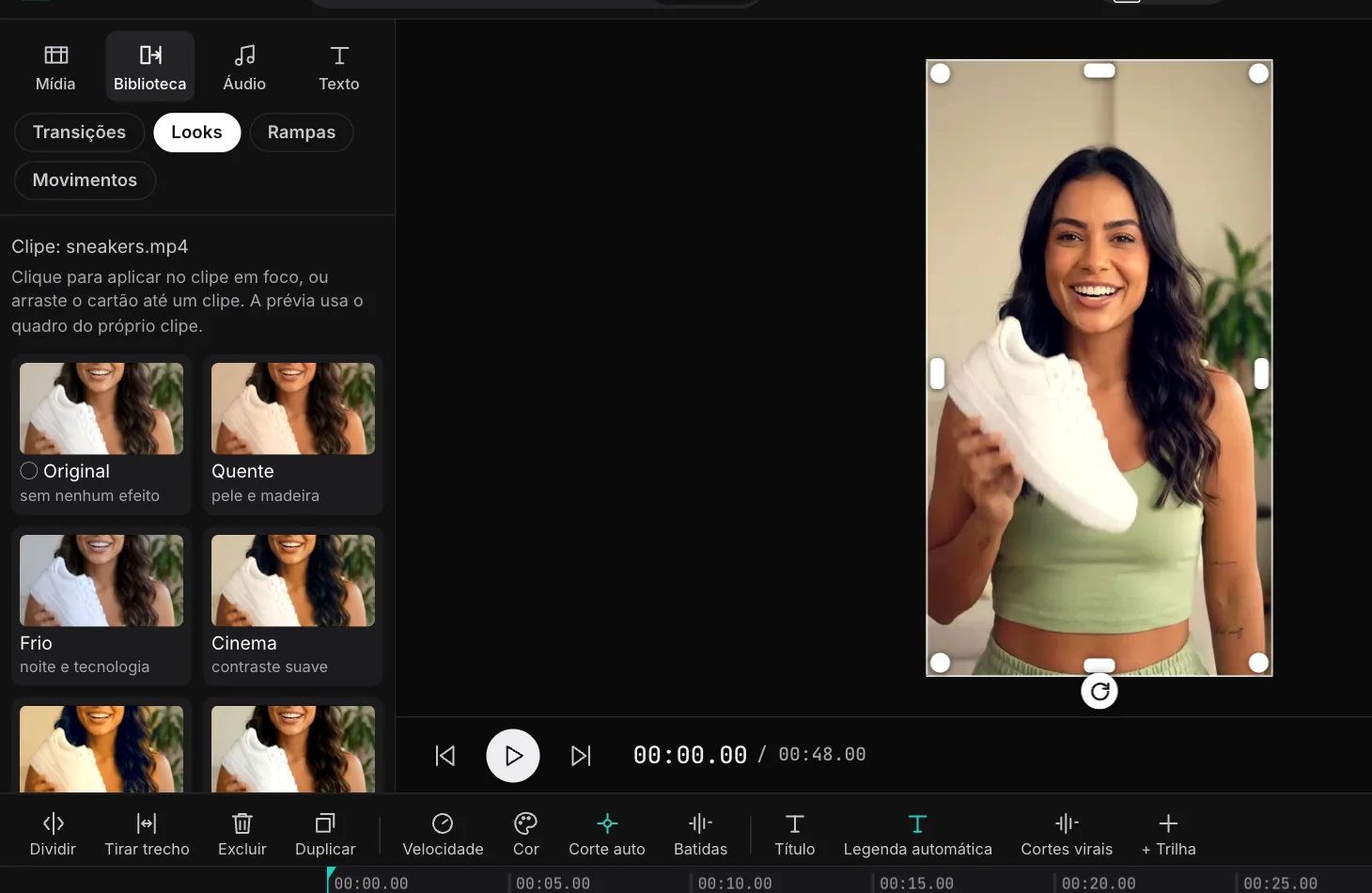
Reels, TikTok, Shorts, feed posts, YouTube. Switch format in one click — face tracking keeps the speaker in frame.
Your footage, voice and project never leave your computer. Works offline. No account, no upload, no monthly fee.
Four real ZiggCut controls, running in your browser.
Vertical for Reels, TikTok and Shorts

Drag the line. Same footage, before and after ZiggCut's cinema look — on a strip of film that never stops rolling.
 BEFOREAFTER
Real frames. Left: flat, ungraded footage. Right: the same footage after ZiggCut's cinema look (a color look, contrast curve and vignette).
Drag to compare. ZiggCut removes the noise first and enlarges after, so flaws don't get sharpened too.

 BEFOREAFTER
Real crop of a frame, enlarged 5×: plain enlargement on the left, ZiggCut's AI sharpening (Real-ESRGAN) on the right.
Connect your AI assistant and just ask. Every step is checked before the next one starts.
Cut the pauses in this take and add English captions.
Done: 14 s of silence removed, 38 words captioned.cut_pauses → caption
Now export it vertical for Reels.
Ready. Your file is in the export folder.render · 9:16
Hold Option + Space, say what you want and let go. ZiggCut understands and does it right away, on your Mac, offline. When it is not sure, it shows up to 3 options.
split here
Splits the clip at the playhead
undo
Takes back the last step
go to 30 seconds
Moves the playhead there
remove the pauses
Opens the silence-cut review
add captions in spanish
Opens captions with Spanish selected
export the video
Opens export
Works in all 10 app languages and is free, like the rest of the editor. The command audio is deleted right away.
A fast, simple editor built for thumbs. Everything is free, export included, with no watermark and no account. Ads only on Home and Settings; one purchase removes them.
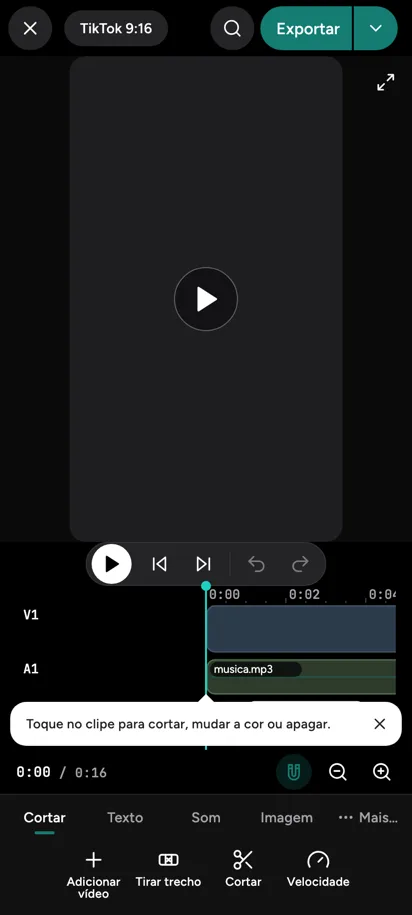
Split, trim or delete with one gesture. Made a mistake? Undo tells you what it will undo — and you can step back through your whole history.
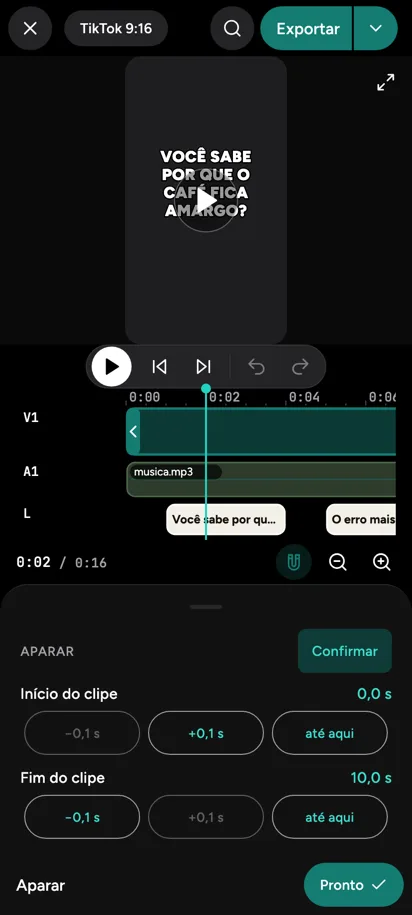
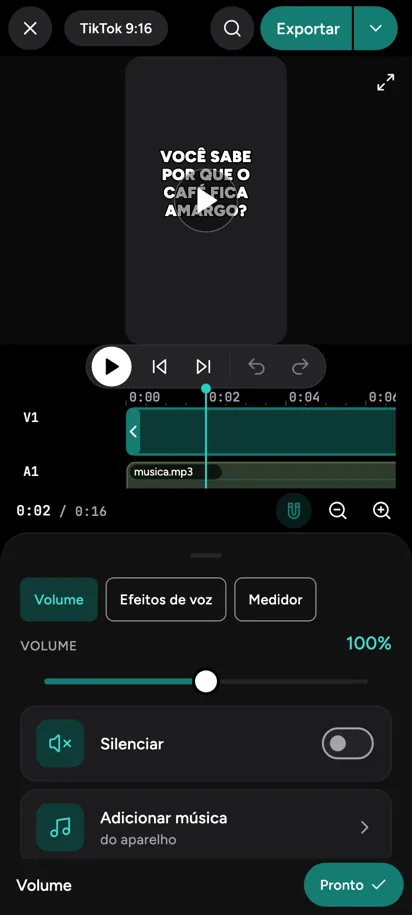
Drag points on the audio line to lower the music when you speak. Same control as on desktop.
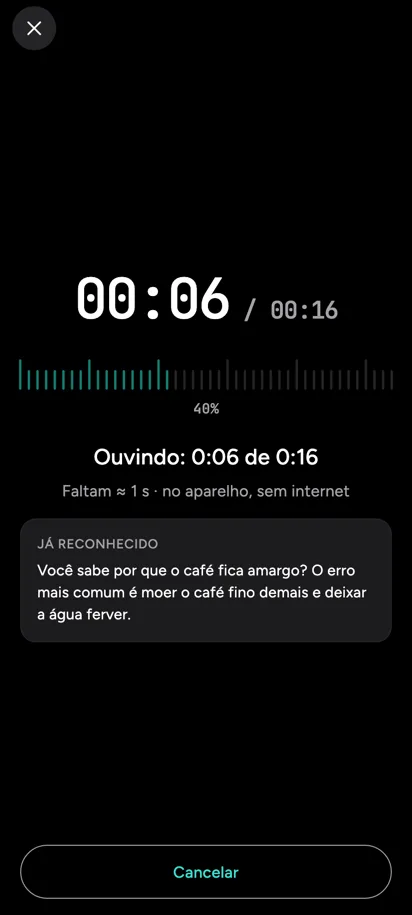
Generate, check and style your captions. Speech is recognized on your phone — nothing is uploaded.
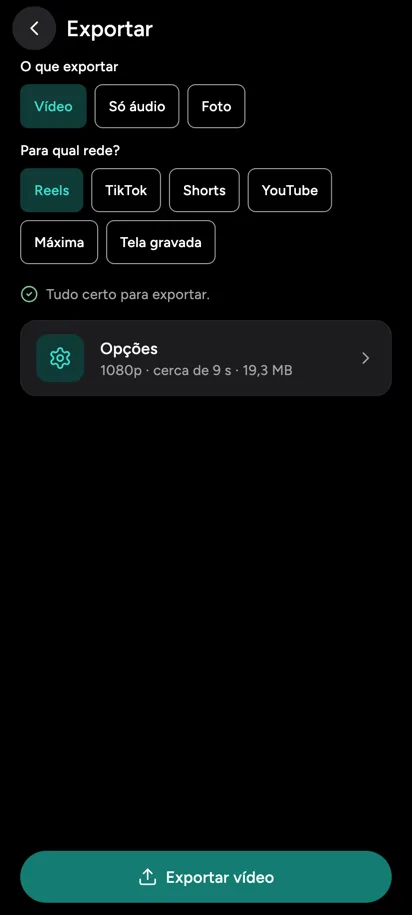
See file size, length and whether your phone can handle it — before you spend the time. If the battery dies, your project is waiting.
Your videos never touch a server. Turn off the Wi-Fi — ZiggCut keeps working.
Editing, captions, pause removal and export are free forever and never lock. Only AI Studio is paid, once.
Finds every pause in your voice and removes it. Choose how tight, and see exactly how much time you save.
Speech-to-text on your own computer, 34 animated styles, and it learns the words you use.
Ready-made looks with adjustable strength — plus wheels, curves and pro camera profiles when you want control.
Cleans blocky, plastic-looking footage from Veo, Sora and Kling and sharpens it up to 4×.
Reels, TikTok, Shorts, X, LinkedIn and more: 18 ready-made formats from 9:16 to 2.39:1.
Tell your AI assistant what you want — "cut the pauses and add captions" — and ZiggCut does it.
Face tracking crops to vertical without cutting off the person who's talking.
Import clips from your computer or phone. Nothing is uploaded.
It cuts the silences, writes the captions, adds the color and picks the format.
One click renders for Reels, TikTok, Shorts, YouTube and more.
ZiggCut is for anyone who needs a practical, efficient and simple way to edit videos. Here is how it helps in your world.
Turn raw takes into captioned vertical videos in minutes.
Make the oven look irresistible — and post it today.
Make every bite sell.
Explain health topics clearly, with or without being on camera.
Show products in motion, not just in photos.
Deliver every format for every client from one project.
Clean, sharpen and finish clips from Veo, Sora and Kling.
Turn a lesson into short, captioned clips.
Everything you need to cut, caption and export costs nothing. If you want the AI, you pay once and keep it.
No account, no card, no time limit.
The AI Studio is coming soon. Leave your email and we'll tell you the day it arrives, no spam. A commercial license (clients, agencies, companies) is also a one-time payment.
| Formats | 9:16, 1:1, 4:5, 16:9, 21:9, 2.39:1, 2:3 |
|---|---|
| Resolutions | 1080p, 2K, 4K and 8K |
| Codecs | H.264, H.265, ProRes, DNxHR, VP9, AV1, GIF |
| Speech to text | On-device Whisper, 10 languages |
| Color | LOG profiles from 7 makers, HLG, PQ, LUTs, curves, scopes |
| Automation | 31 tools exposed over MCP for Claude |
Yes. Editing, speech-to-text and export all run on your own device, and your videos never leave it. In the free phone app, the internet is used only to show ads.
Yes. Hold Option + Space (or the microphone button at the top), say what you want, like “split here”, “speed 1.5x” or “export the video”, and let go. The command is understood on your Mac, offline, in all 10 app languages. It is free.
No. The editor is free forever: editing, captions, pause removal and export never lock. AI Studio is optional and paid once.
On Macs with Apple Silicon (M1 or newer) and on Android, through Google Play. The Windows version and the iPhone app are next.
Yes — that's what it was built for. It cleans and sharpens footage from Veo, Sora and Kling.
Yes. The .zcut project format is the same on both.
Portuguese, English, Spanish, French, German, Italian, Japanese, Korean, Chinese and Indonesian.
18 ready-made network formats across 7 aspect ratios, from 1080p up to 8K, in H.264, H.265, ProRes, DNxHR, VP9, AV1 or GIF.
Yes, all of it: editing and exporting, free for good and with no limits. The free version shows an ad banner only on Home and in Settings, never in the editor or during export. To remove ads, make a one-time purchase in the app; if you already bought it, you stay ad-free.
Download ZiggCut, drop in a video and watch the pauses disappear. Free, on your Mac, without uploading anything.
Free to edit · no watermark · macOS with Apple Silicon