Desktop4 min
How to color grade video like a film
Apply a cinema look in one click, control its strength and fine-tune with wheels and curves — and see the result before you apply it.
In shortStart from a ready-made look, then adjust strength, contrast and tones. Pro tools are one scroll away.
Where to find it: Right panel → Color · left tab → Looks
- Step 1
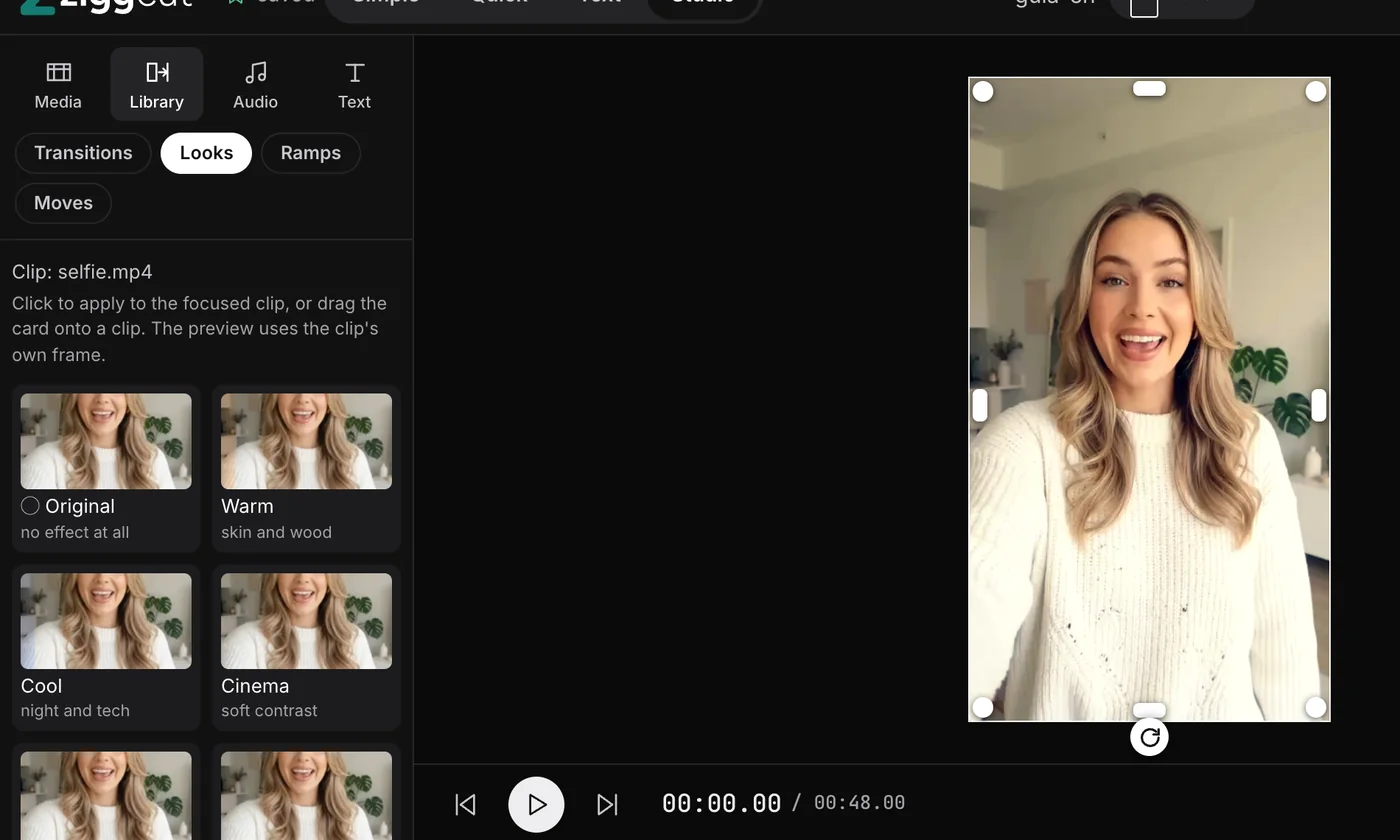
Open the Looks gallery
In the left panel choose Looks and click a look to try it on the selected clip.
- Step 2
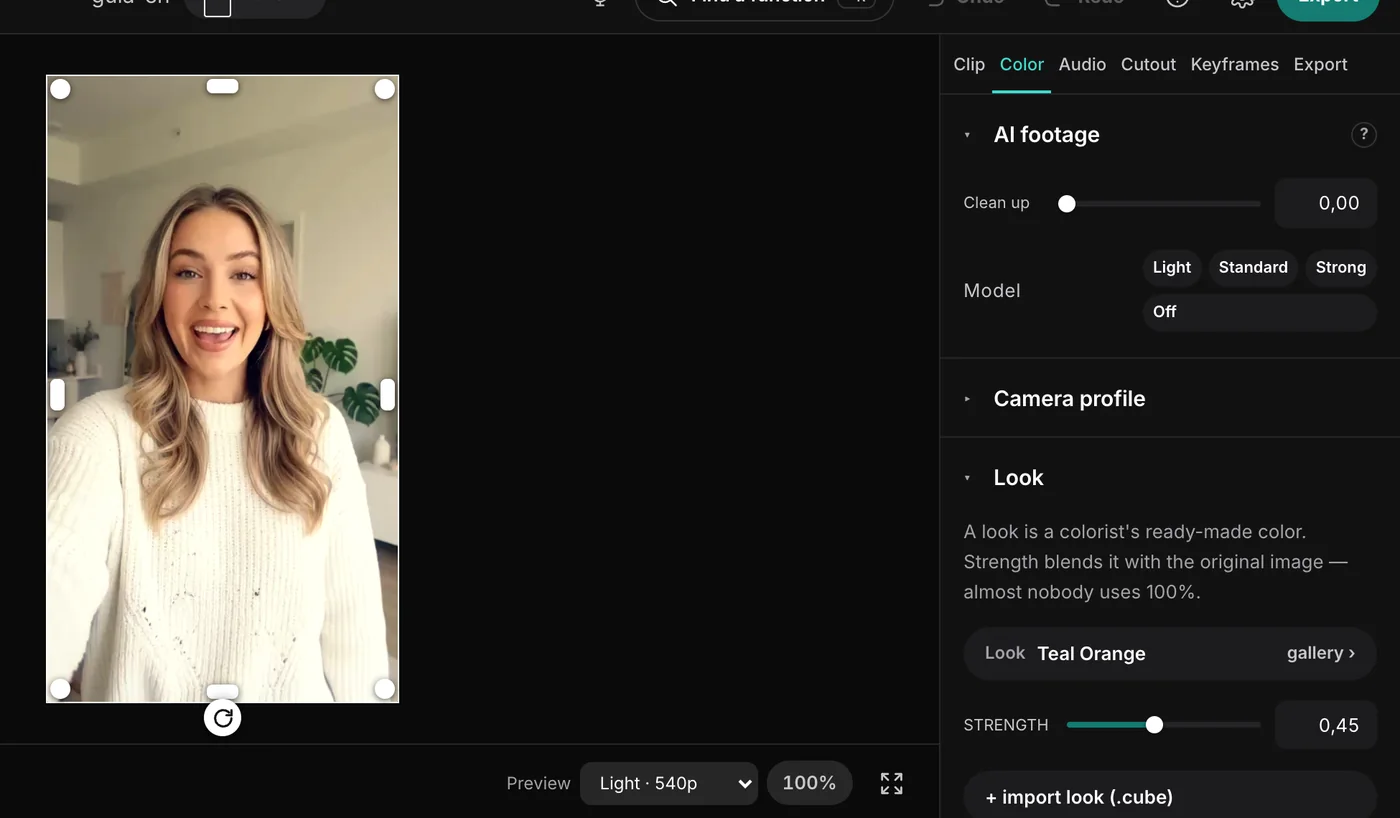
Set the strength
In the Color tab on the right, drag the LUT strength until it feels right. 100% is the full look; lower values keep more of the original.
- Step 3
Adjust exposure, contrast and saturation
Use the sliders for exposure, contrast, gamma and saturation. Shadows, mids and highlights have their own color wheels.
- Step 4
Copy the color to other clips
Save your settings and paste them on the other clips so the whole video matches.